Tap download Android APK
Download the APK file to your device.
Allow Installation
If you see a message such as 'Installation Blocked' or 'Install Unknown Apps', Tap Settings.
Enable Permission
Enable 'Allow Installation from Unknown Sources' or 'Allow from This Source'.
Install App
Return to the installation screen and tap 'Install'.
Open App
Once installation is complete, tap 'Open' to start using the app.
Open Link in Safari
Please copy and paste the link into Safari to open it.
—

Tap Share
Tap the Share button at the bottom of the screen.

Add to Home Screen
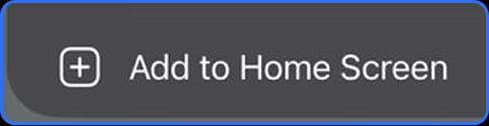
Scroll down and select 'Add to Home Screen'.
Add
Tap 'Add' in the top-right corner to confirm.
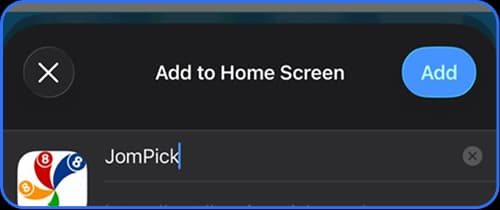
The app icon will now appear on your Home Screen and can be launched just like a regular app.
Installation on iPhone requires Safari. Other browsers may not support the 'Add to Home Screen' feature.
Need Help?
Please ensure that:
- Installation from unknown sources is enabled
- Your device has sufficient storage space
- The APK file was downloaded completely
 Customer Support
 Customer Support